I Built a Notebook for Sharing Notes That Doesn't Ask You to Sign Up First
Why I built SharePad — one link, many markdown pages, a secret edit URL, and no accounts. Next.js, Supabase, Cloudflare R2, and the bugs along the way.
Someone asked me to share meeting notes in Slack yesterday.
I pasted the markdown. Slack ate the table. The code block lost its indentation. The task list rendered as literal [ ] characters. I spent five minutes reformatting something that already looked perfect in my editor.
So I sent a link instead.
Not to Notion — they would have to sign up. Not to Google Docs — same problem, plus I did not want this living in someone's Drive forever. Not to a pastebin — those are single blobs of text with no structure, no pages, no way to come back and fix a typo tomorrow.
I wanted: one link, multiple pages, markdown that actually renders, no account required, and a way for me to edit it later without the URL changing.
I have built sharing tools before. FreeShare for files. NotePage for single-page text. SharePad is what I wished existed when I needed something in between a pastebin and a wiki — but without the signup wall.
Live here: https://sharepad.in
Source: https://github.com/Varshithvhegde/sharepad
The Idea
Most "share your notes" products follow the same playbook. Create an account. Verify your email. Create a workspace. Invite people. Configure permissions. By the time you are done, the meeting is over and nobody cares about the notes anymore.
SharePad skips all of that.
You write markdown. You get two links:
- View link —
/n/kitchen-reno— hand this out freely - Edit link —
/e/{secret-token}— this is your ownership credential. Do not share it.
No account. No password to create (unless you want to lock the view link). No "upgrade to share with more people." The edit token is your identity for that notebook.
That one decision — token-based ownership instead of user accounts — simplified everything else. No auth flows. No session management. No "forgot password" for the app itself. Just a 32-byte secret generated at creation time, hashed with SHA-256, stored in Postgres, and shown to you exactly once.
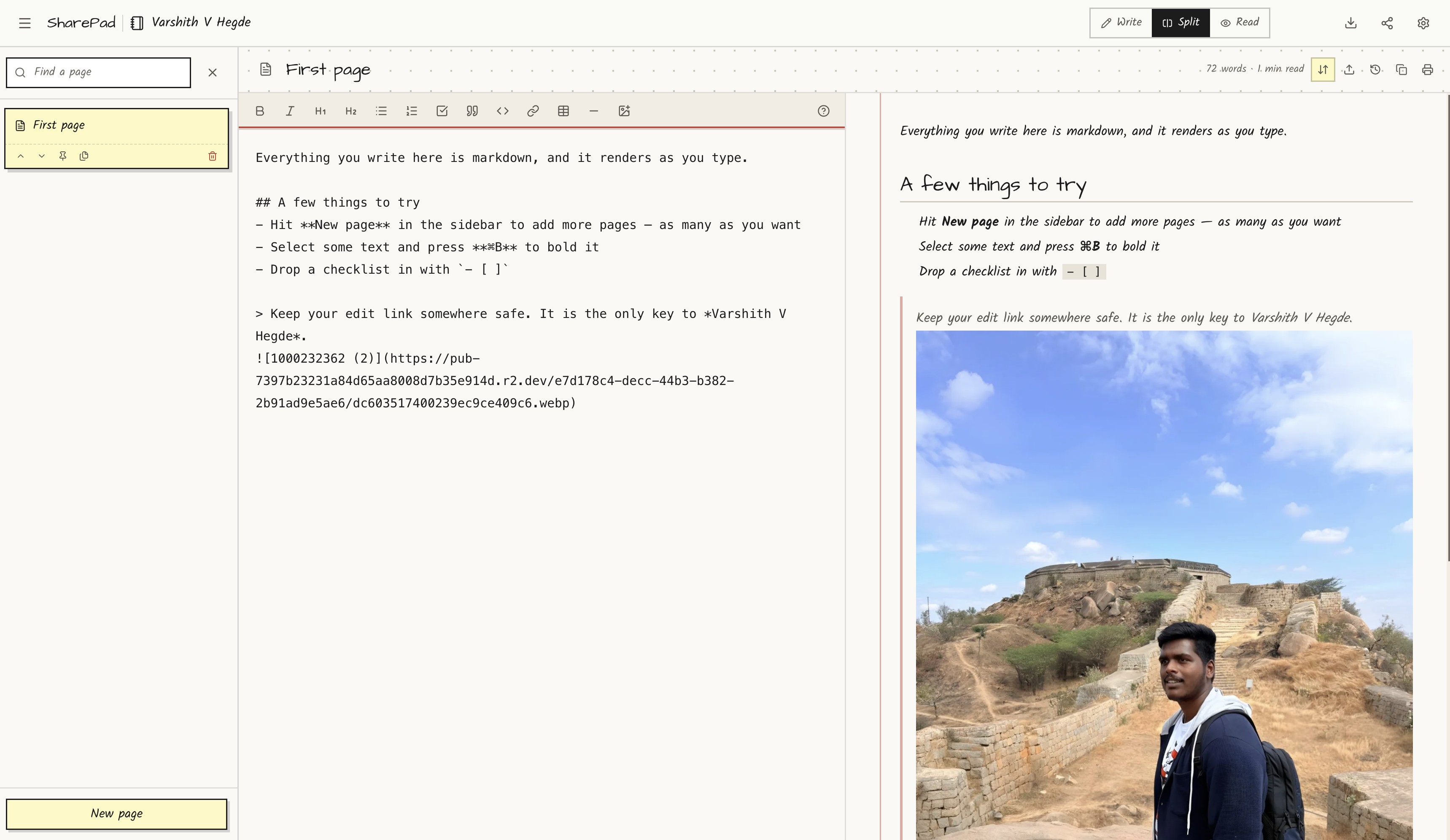
What You Can Actually Do With It
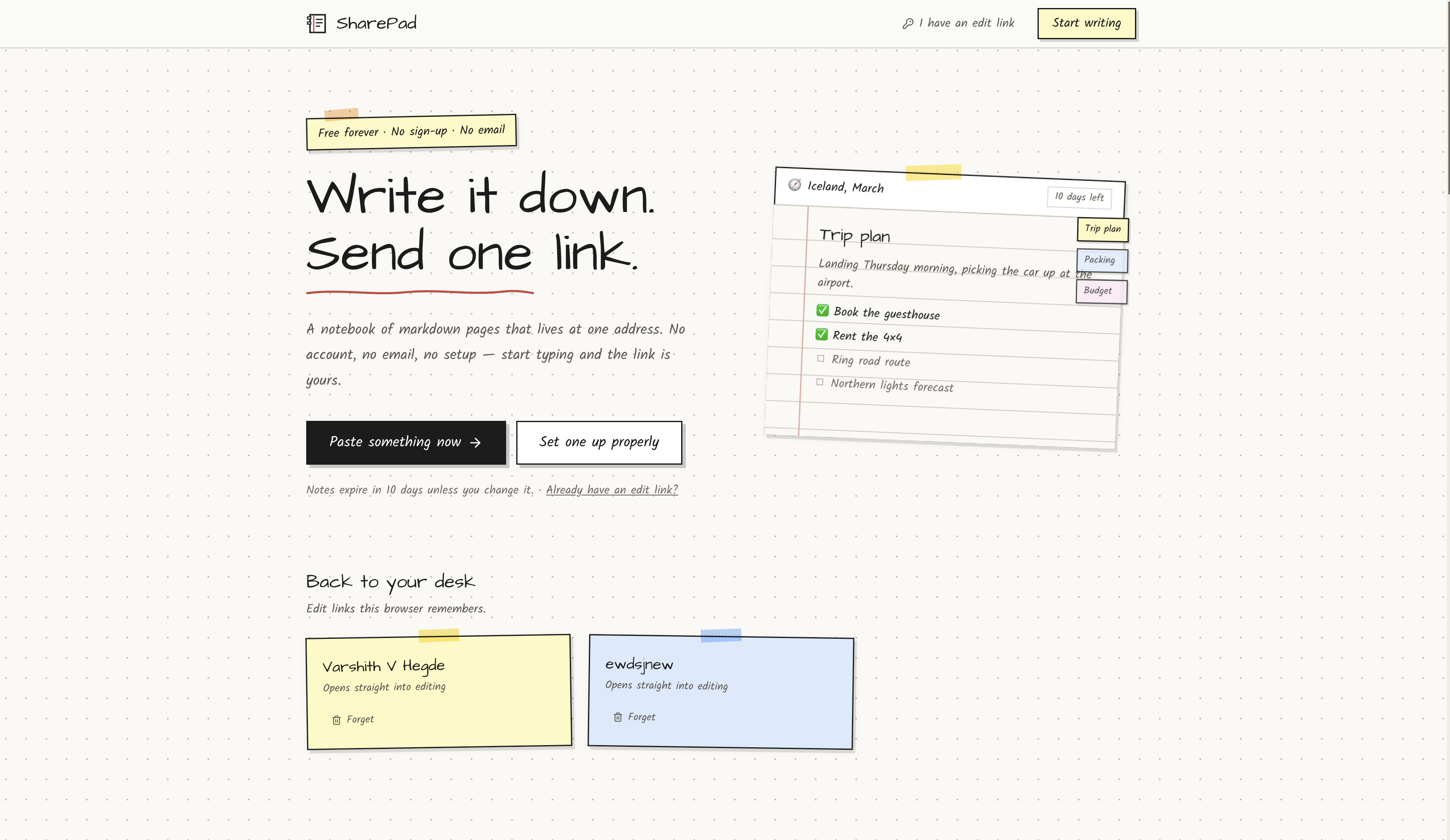
Before the architecture diagram, here is what this looks like when you are actually using it.
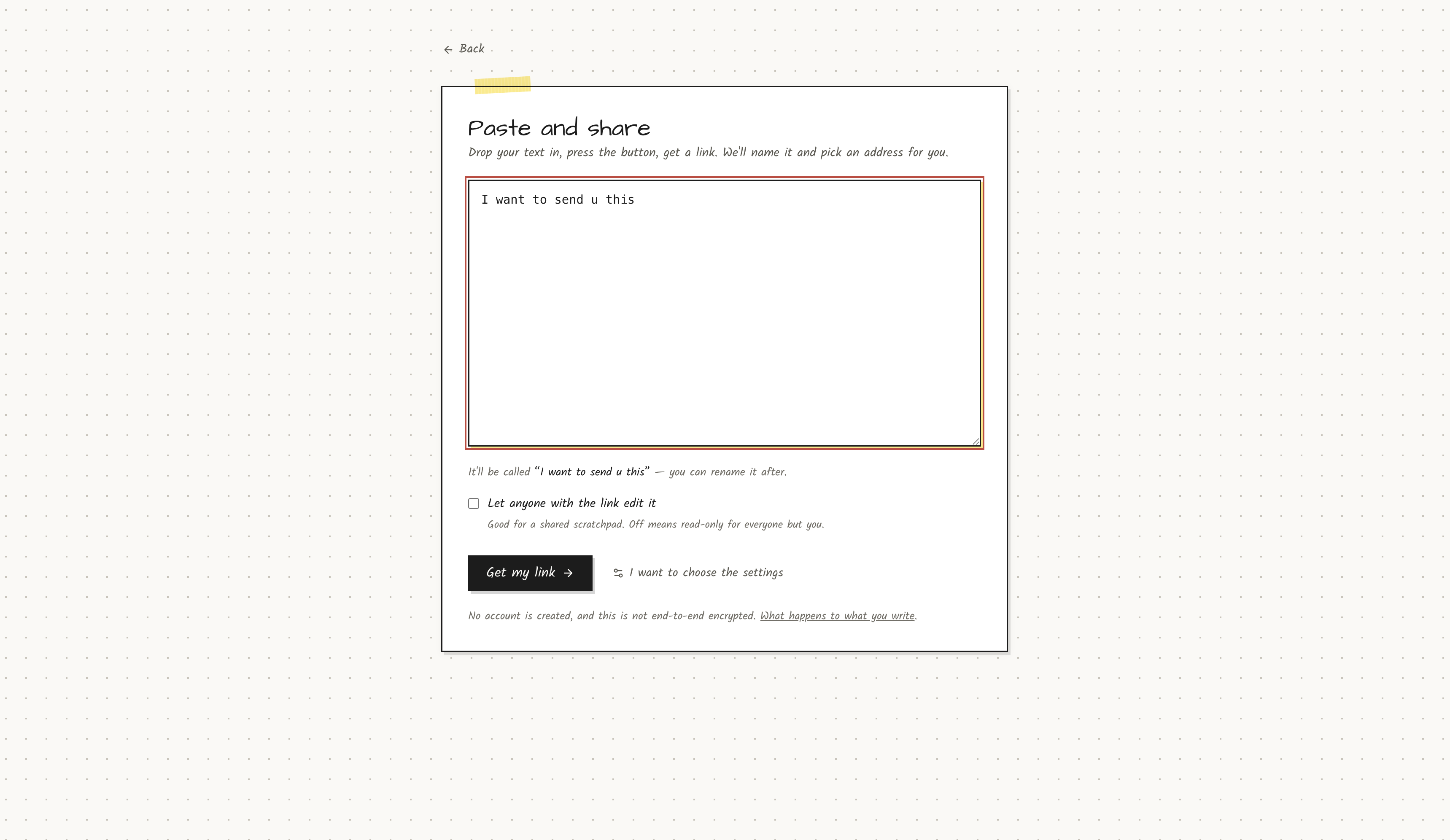
Paste and share in ten seconds. Go to /quick, drop your markdown, get a link. Title comes from your first heading. Slug is generated automatically. Edit link lands on your clipboard. Done.
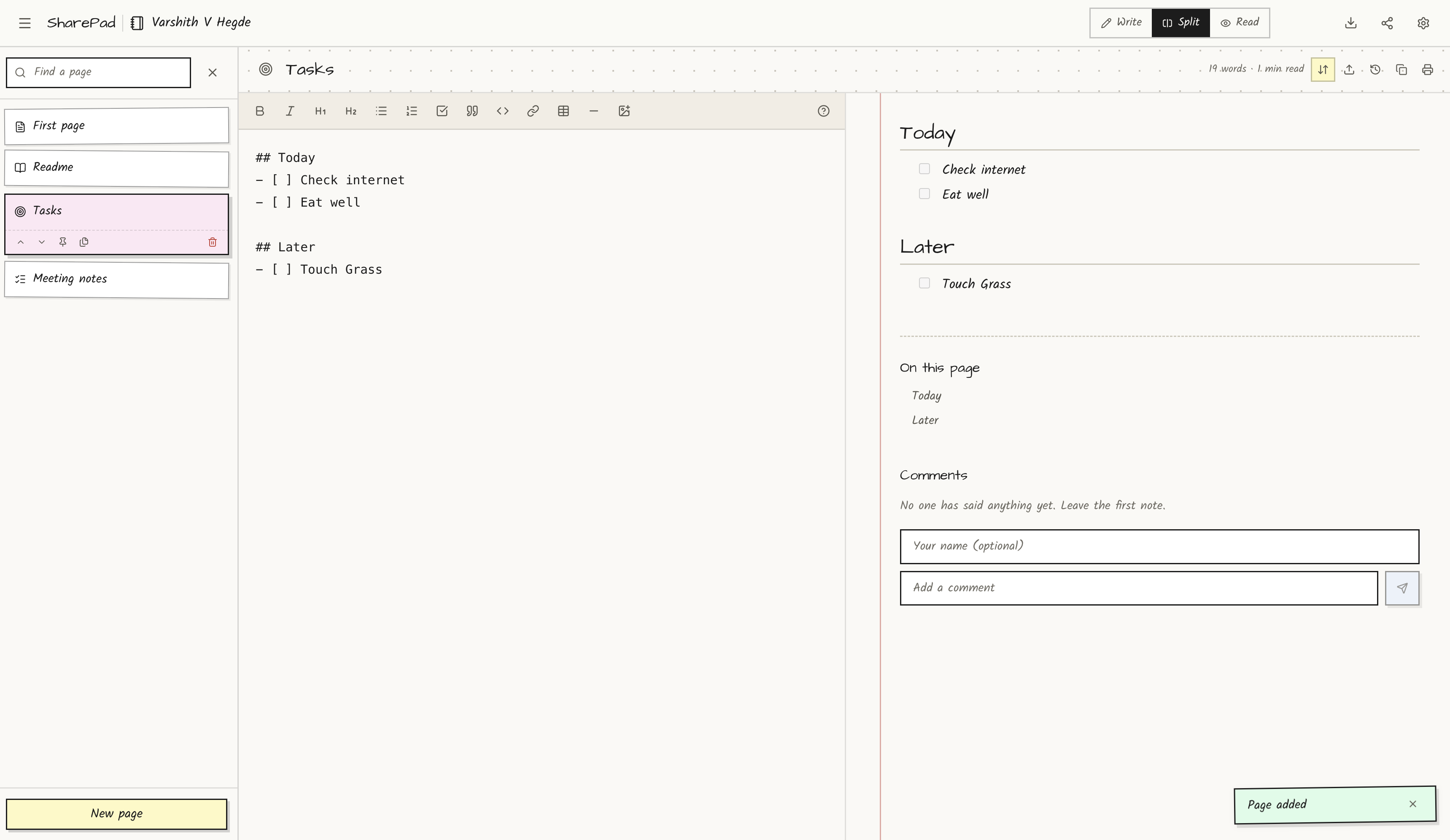
Multi-page notebooks behind one URL. This is the main thing that separates it from a pastebin. A notebook can have dozens of pages — meeting notes, appendix, todo list, reference docs — all navigable from a sidebar index. Readers see one link. You manage one notebook.
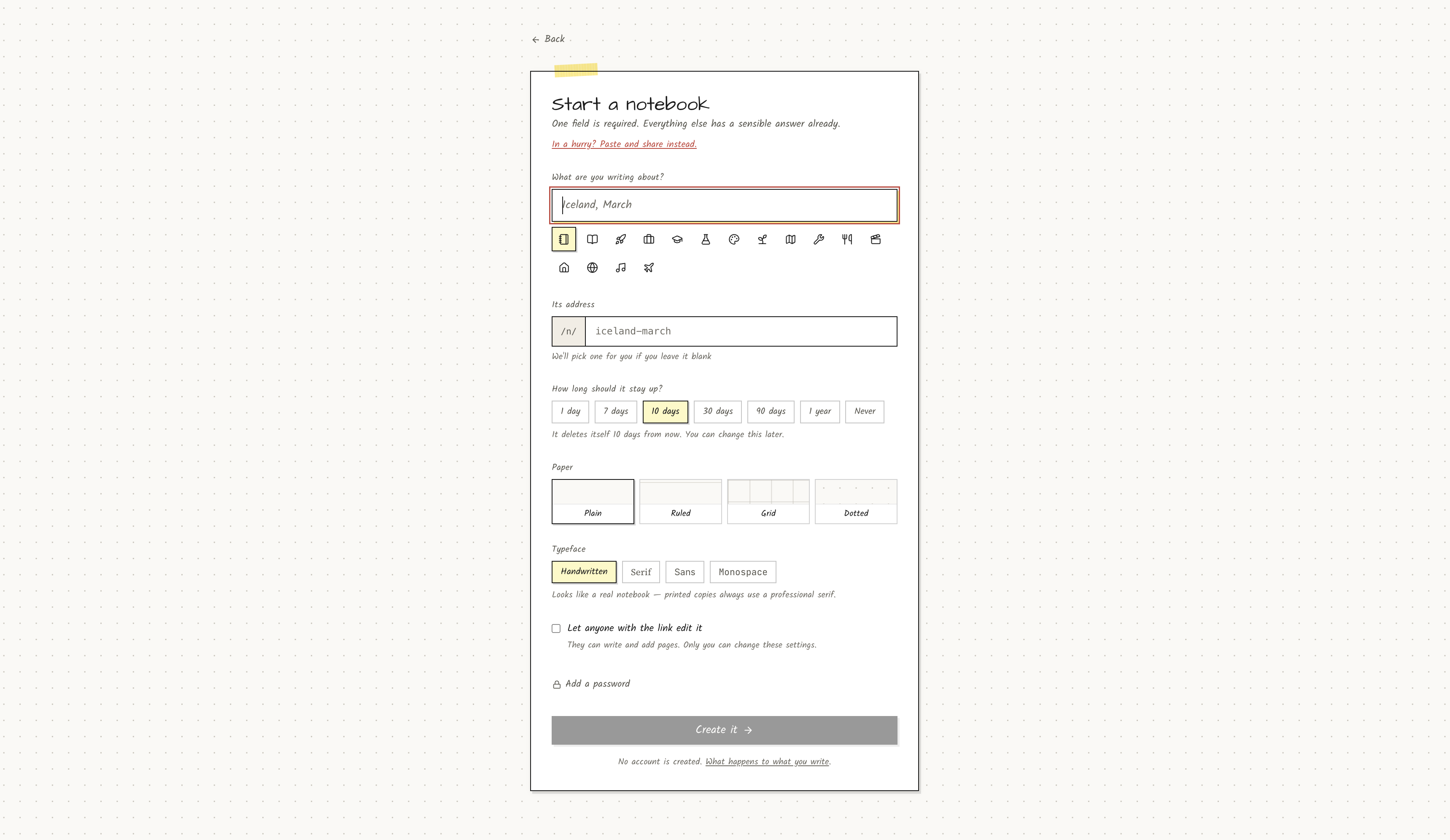
Pick your own address. At /new you can claim sharepad.in/n/kitchen-reno while you type. Taken names tell you immediately. Reserved slugs (/new, /quick, /api, etc.) are blocked so you cannot accidentally break routing.
Two levels of access. Share the view link in Slack. Keep the edit link in your password manager. Or flip on open editing and let anyone with the view link write content — useful for a shared grocery list or a retro board where you do not want people creating accounts.
Important detail: open editing lets visitors change content. Settings, expiry, password, and deletion always require the edit token. A visitor cannot lock you out of your own notebook.
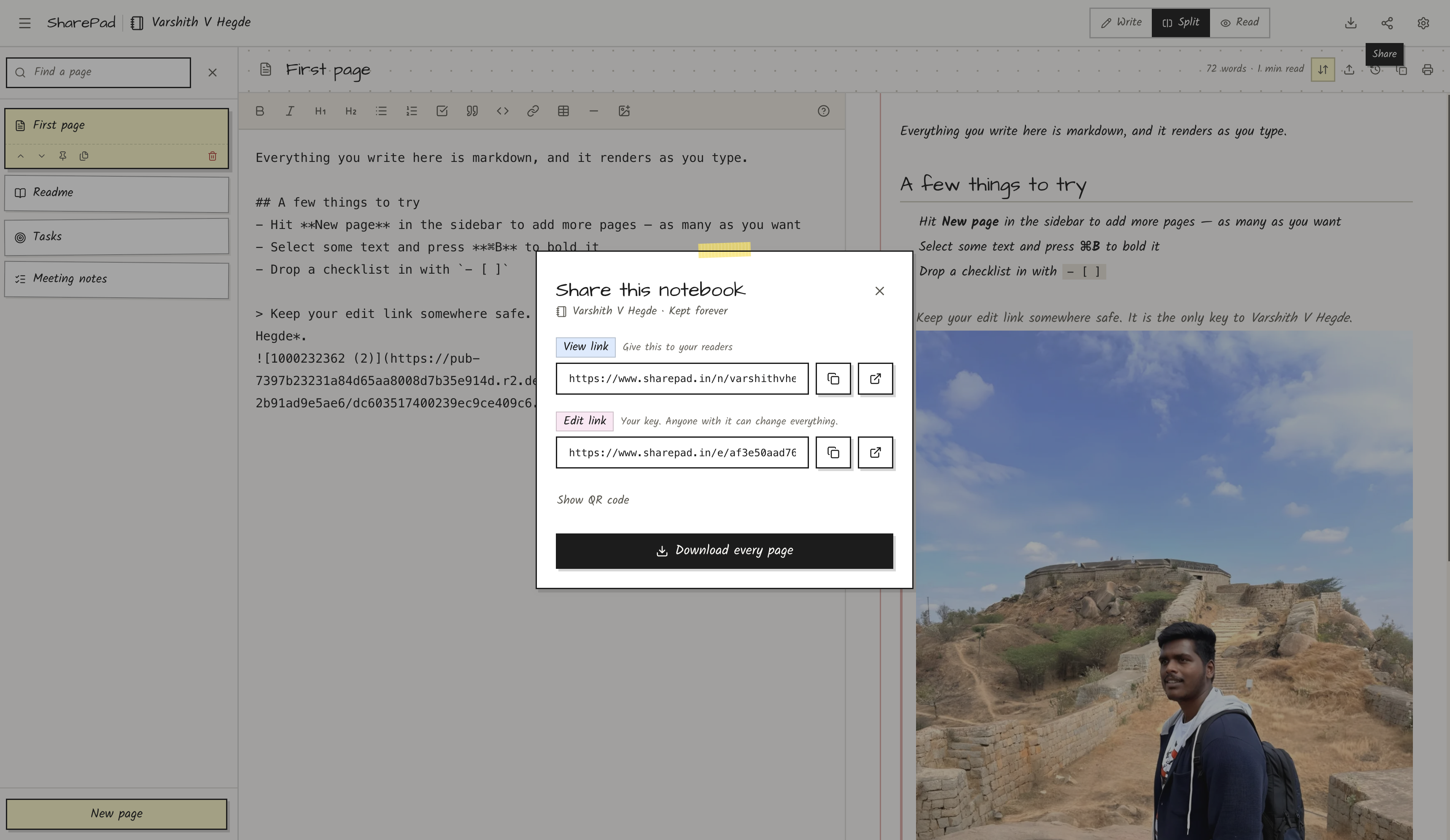
Lock it down when you need to. Password-protect the view link (bcrypt hashed). Flip read-only mode. Set burn-after-read so the link works exactly once. Choose visibility: public (indexable), unlisted (link only), or private (view link blocked entirely).
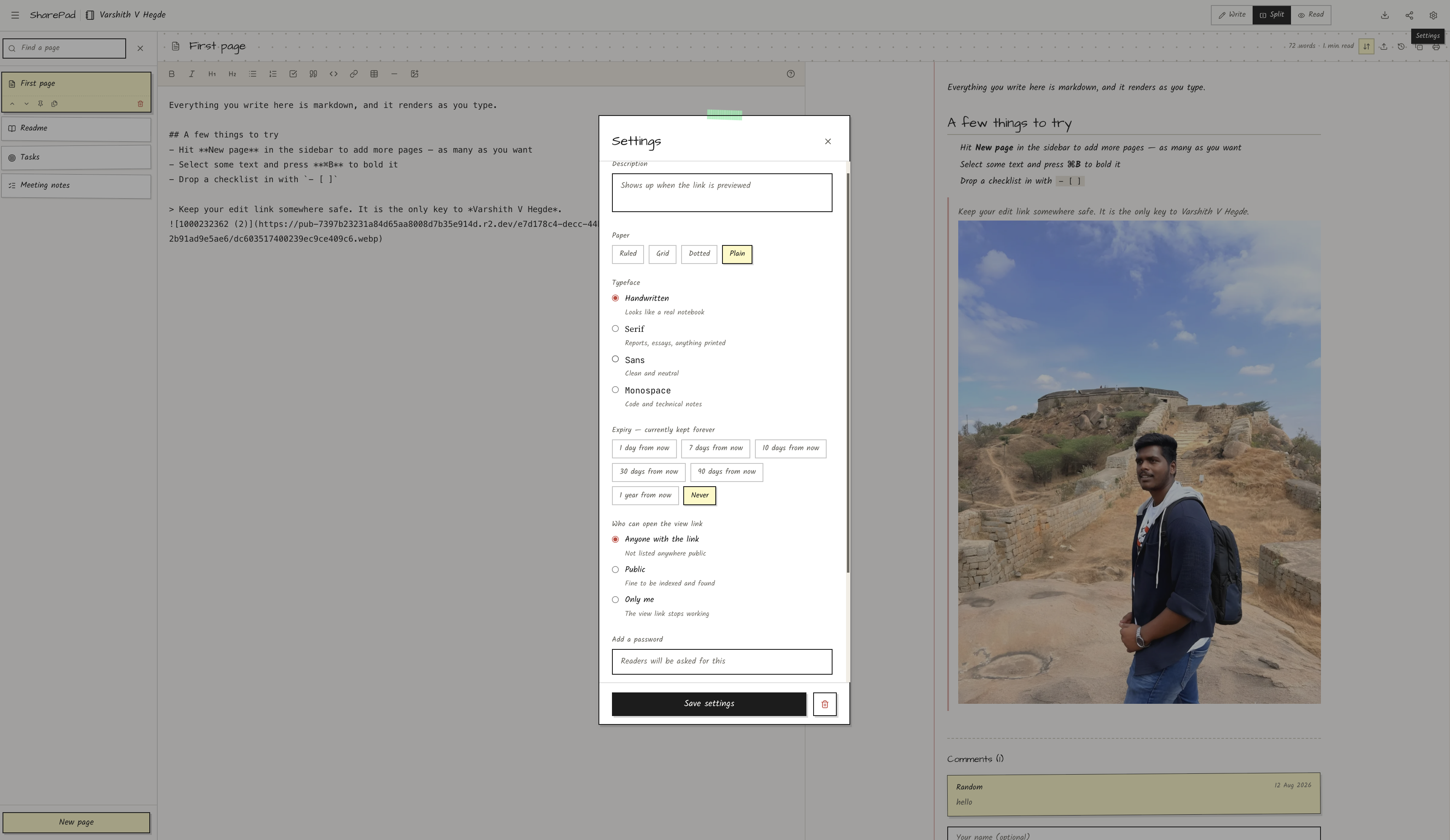
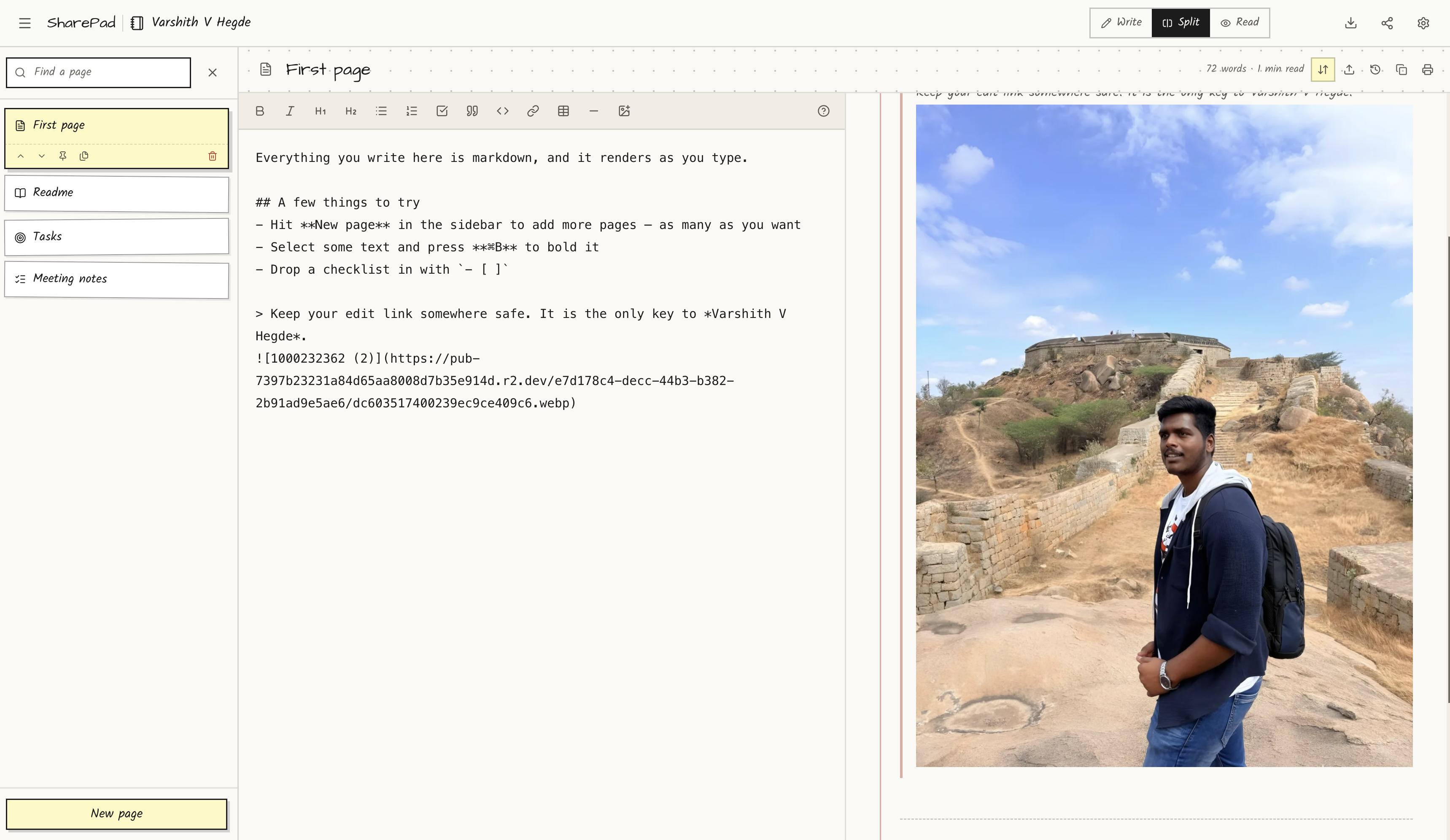
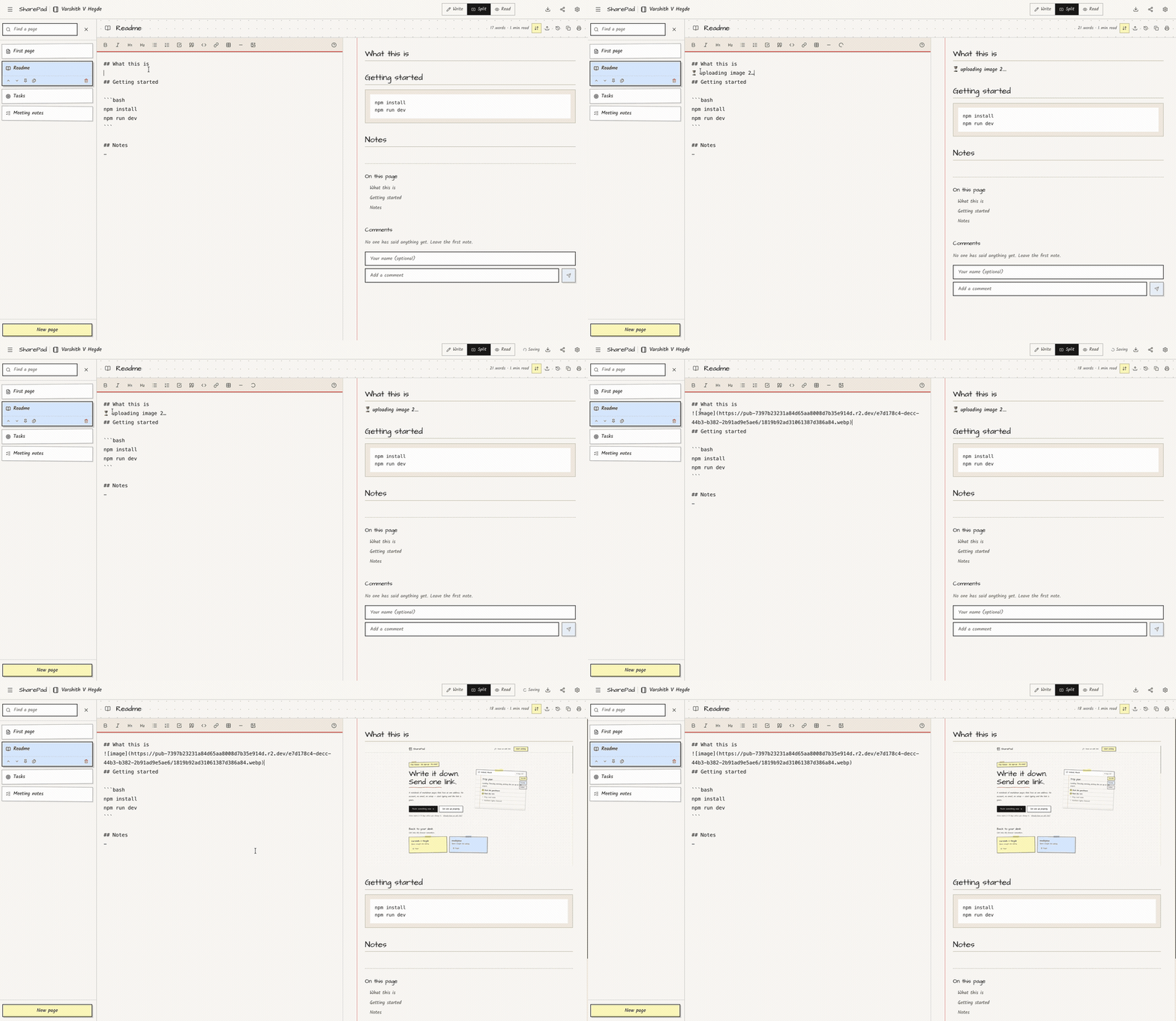
Paste screenshots straight into the editor. This took longer to get right than I expected. You paste an image, it compresses in the browser, uploads to Cloudflare R2, and inserts the markdown link. More on that below.
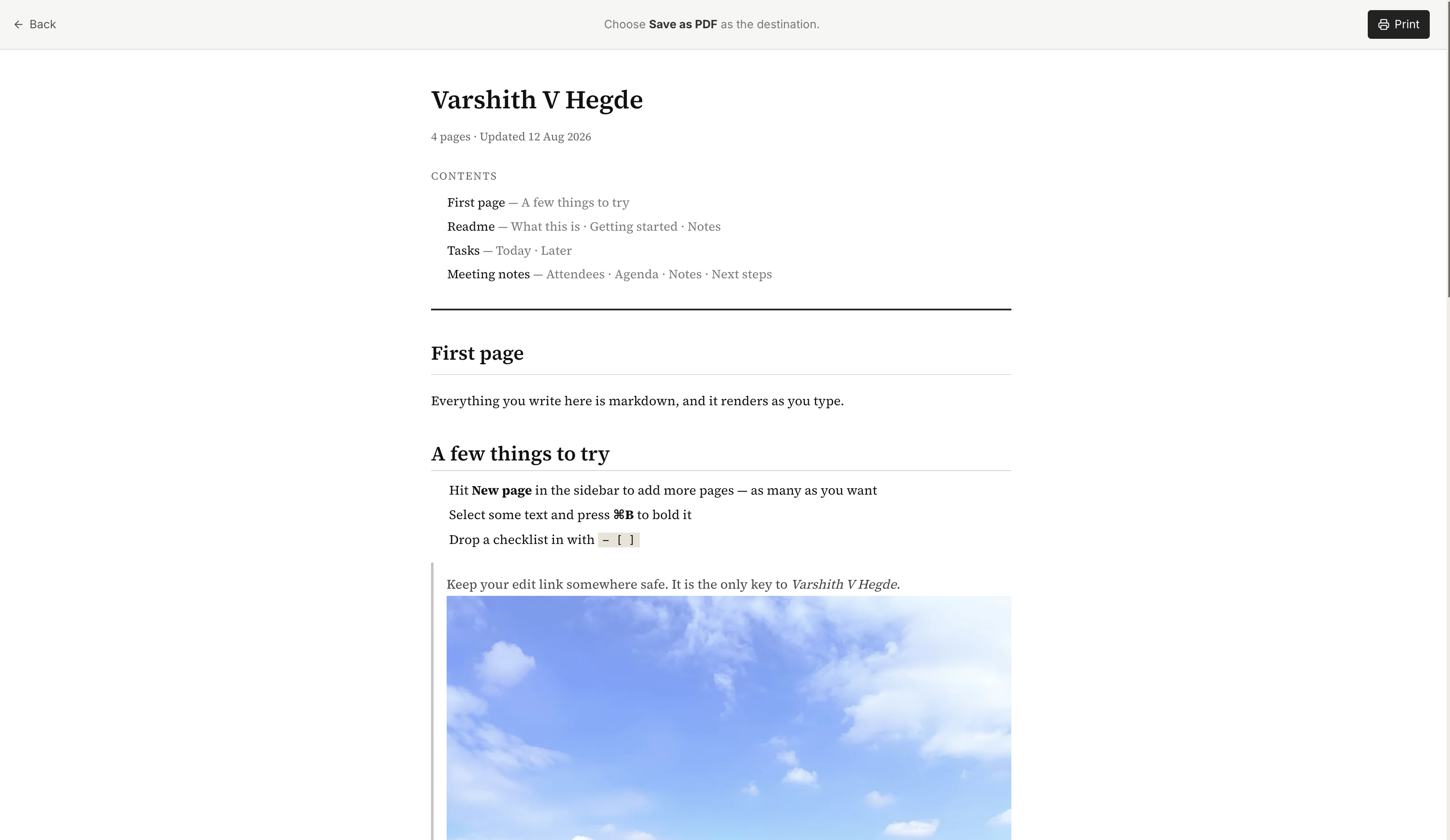
Print the whole thing as a real document. /n/slug/print strips the handwritten aesthetic and renders every page in Source Serif — title sheet, table of contents, page breaks. Save as PDF from the browser. Handwriting disappears. It looks like something you would hand to a client, not something you scribbled on a sticky note.
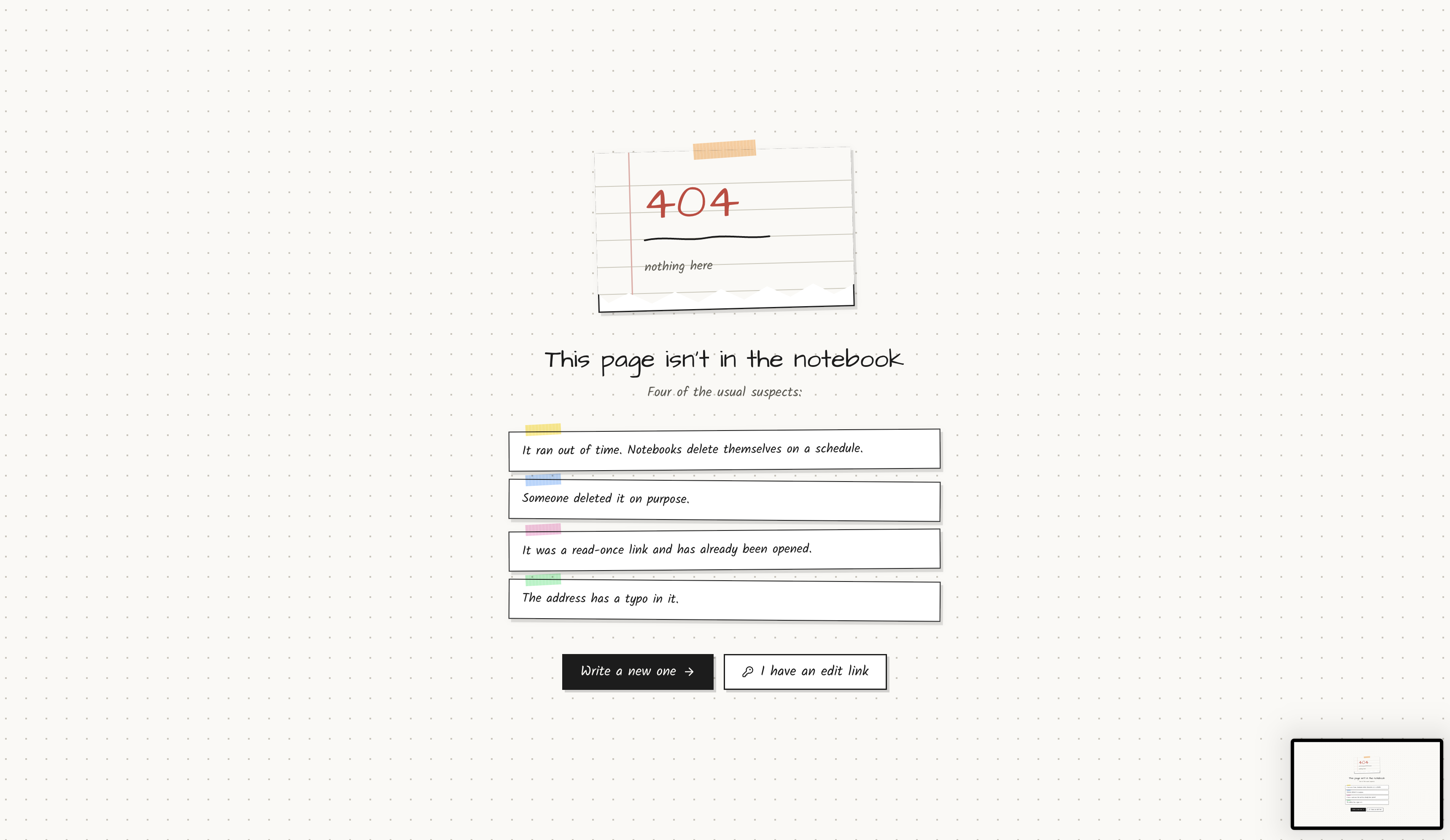
It cleans up after itself. Notebooks expire in ten days by default. Push that to a year, or turn expiry off. When the timestamp passes, view links die immediately. Three days later a cron job deletes the row for real.
The Tech Stack
Next.js 16 with the App Router and Turbopack. Server components for the initial notebook load, client components for the editor. The split view, auto-save, scroll sync, and toolbar all live in a single NotebookEditor component that handles both view mode (/n/slug) and edit mode (/e/token).
Supabase Postgres for everything persistent. Notebooks, pages, version history, comments, image metadata, rate limit counters. Row-level security is enabled on every table, but there are no public write policies — the server talks to Postgres through the service role key. The anon key exists because Supabase expects it, but the app does not expose direct client writes.
Tailwind CSS 4 for styling, but the visual identity is deliberately not a generic SaaS dashboard. Kalam and Architects Daughter for handwriting. A red margin rule down each page. Taped sticky-note cards on the home page. I wanted it to feel like paper, not like yet another AI product with a purple gradient hero section.
react-markdown with remark-gfm for GitHub-flavoured markdown, rehype-highlight for code blocks, rehype-raw for inline HTML, and rehype-sanitize before anything hits the DOM. That last one is not optional — more on why in a minute.
Cloudflare R2 for images. I chose R2 over Supabase Storage because egress is free at any volume. Supabase's free tier shares egress between database and storage — one viral notebook with screenshots could take the whole app down. R2 charges nothing for egress, ever.
PostHog for analytics, optional and heavily restricted. Autocapture off. Session recording off on notebook routes. No note content, titles, slugs, or edit tokens in any event payload. An edit token is a write credential — putting one in analytics would hand notebook control to a third party.
GitHub Actions for two cron jobs: ping Supabase every three days so the free project does not pause, and sweep orphaned images from R2 weekly.
How Ownership Works (Without Login)
There is no users table. There is no signup form. Here is the full auth model:
Create notebook
  → server generates edit_token (32 random bytes)
  → stores SHA-256(edit_token) in notebooks.edit_token_hash
  → returns edit_token to the browser once
  → browser saves it in localStorage for "Saved notebooks" on the home page

View:  GET /n/{slug}           → anyone (unless password/expired/private)
Edit:  GET /e/{edit_token}     → validates token hash → full editor
Write: POST/PATCH/DELETE /api/* with X-Edit-Token header
Password-protected notebooks add one step:
POST /api/notebooks/unlock/{slug}  { password }
  → bcrypt compare
  → sets httpOnly cookie sp_unlock_{slug} for 24 hours
The edit token never appears in URLs on the view route. The view route never accepts writes unless open editing is enabled. Settings always require the token.
I have shipped products with full auth before. For this use case, accounts would have been pure friction. The edit link is the account.
The Editor
The editor is a textarea and a preview pane. That is intentionally boring technology.
Split view with scroll sync. Write on the left, preview on the right. Scroll one, the other follows. On mobile it collapses to write-only because split view on a phone is unusable.
Toolbar actions participate in undo. This was a subtle bug for a while. Typing supported Ctrl+Z fine, but clicking "bold" or "insert code block" did not — because I was replacing textarea.value directly, which bypasses the browser's undo stack. Fix: document.execCommand("insertText"). Yes, it is deprecated. It is also still the only way to get undoable programmatic edits in a plain textarea without building a full ProseMirror instance. I am not building ProseMirror for a side project.
Tab actually indents. Default browser behaviour moves focus to the next button. SharePad intercepts Tab and inserts two spaces (or indents a whole selected block). Shift+Tab outdents. Esc+Tab is an escape hatch if you genuinely need to tab to the next UI element.
Version history. Every page keeps its last ten drafts. Open history, pick an old version, restore it. Snapshots happen server-side on content change, not on every keystroke — the auto-save debounce would otherwise generate hundreds of useless versions.
Page templates. Meeting notes, project brief, weekly plan, journal entry. One click adds a pre-filled page with sensible headings.
Images (and the Bug That Only Bit Real Photographs)
Paste a screenshot. It should just work.
The flow:
- Browser compresses the image — max 1600px edge, re-encoded as WebP at 82% quality. A phone screenshot typically shrinks by 10x before it ever hits the network.
- Server sniffs magic bytes (not the declared Content-Type, which the uploader chooses and proves nothing).
- Object stored in R2 under
{notebook_id}/{random-hex}.{ext}. - Row inserted in the
imagestable. - Markdown link inserted:

Limits: 5 MB after compression, 50 images per notebook, 60 uploads per IP per ten minutes. Rate limiting runs in a single Postgres statement so two simultaneous uploads cannot both read the old count and slip through.
The bug that wasted an afternoon: small pasted images worked. Large ones failed with "The image store did not accept that file."
Node's fetch switches to chunked transfer encoding once the body passes a certain size. Cloudflare R2 answers a PUT without an explicit Content-Length with 411 Missing ContentLength. Small images fit in one chunk and happened to work. Real photographs did not.
Fix was one header:
headers: {
  "Content-Type": contentType,
  "Content-Length": String(body.byteLength),
  "Cache-Control": "public, max-age=31536000, immutable",
}
I also learned that drawing an animated GIF to a canvas keeps the first frame and silently kills the animation, so GIFs pass through uncompressed. And that a placeholder of ⏳ uploading image 1… beats inserting  with an empty src, which makes the browser try to reload the entire page.
HTML in Markdown (and Why Sanitising Is Not Optional)
SharePad renders raw HTML inside markdown — <details>, <kbd>, <mark>, <abbr>, table alignment attributes. Useful for collapsible sections and keyboard shortcuts.
It also sanitises everything against GitHub's schema before rendering. Scripts, styles, iframes, objects, forms, event handlers, javascript: URLs — all stripped.
Why this matters: open editing lets anyone with the view link write into the notebook. Without sanitisation, a visitor injects a script. The script runs on the owner's browser when they open the edit link — where the edit token is sitting in the URL and every saved token is in localStorage. One malicious notebook and you hand over every notebook that browser has ever created.
The allowed set lives in lib/markdown-schema.ts. I added a few presentational tags on top of GitHub's defaults. I did not relax anything about scripts.
Expiry (and the Grace Period Nobody Asked For But Everyone Needs)
Choosing "10 days" stores an absolute timestamp, not a rolling countdown.
Timeline:
- Expiry moment — view and print links return 404. Readers are locked out immediately.
- Three days later —
pg_crondeletes the notebook row. Pages, versions, comments cascade away. - Burn-after-read — deleted one day after the single view.
The three-day gap between "readers locked out" and "row deleted" is deliberate. The owner can still open the edit link during that window and push the expiry date back. Immediate hard delete on expiry would mean one missed calendar reminder and your notes are gone with no recovery path.
select cron.schedule(
  'purge-expired-notebooks', '15 3 * * *',
  $$select public.purge_expired_notebooks()$$
);
Deleting a notebook through the app clears its R2 images immediately. Expired notebooks rely on a weekly sweep that lists the bucket, checks which notebook IDs still exist in Postgres, and deletes the orphans.
Some Honest Pain Points
Hydration mismatch on dates. toLocaleDateString() rendered 11/08/2026 on the server and 8/11/2026 on the client. Classic. Fixed with explicit en-GB formatting in a shared utility so server and client agree.
The red margin line floating in the wrong place. On wide screens the margin rule was anchored to a full-width container while the text sat in a centred column. Huge gap between the red line and the words. Fix: move the margin rule inside the text column wrapper so it hugs the content regardless of viewport width.
CSS specificity vs Tailwind. The .sk paper-card class had position: relative in global CSS. Tailwind's absolute on dropdown menus lost the cascade battle. Menus clipped to a one-pixel sliver. Fix: wrap menus in a plain div with inline positioning, move .sk into @layer components so utilities win.
Delete notebook did not redirect. The API returned 200, the notebook was gone, but the user sat on a dead /e/{token} page staring at a frozen settings modal. router.push("/") was a soft navigation that did not fully tear down the editor. Fix: window.location.replace("/?deleted=1") — hard leave, no back button to a ghost URL.
Rate limit too tight on images. Twenty uploads per ten minutes sounded reasonable in a spreadsheet. In practice, illustrating a doc means a dozen screenshots in five minutes. Bumped to sixty. The per-notebook cap of fifty is what actually limits abuse; the IP limit just stops someone using the service as a free image host across hundreds of notebooks.
Supabase free tier pauses after seven days idle. A GitHub Action pings /api/ping every three days. Boring infrastructure, but a paused database is a dead app.
SEO (Because Nobody Searches "SharePad")
They search "share markdown without signup." "Online notepad no login." "Send notes without account."
So there are landing pages for each phrase — /share-markdown-without-signup, /online-notepad-no-login, /markdown-to-pdf — with actual content, not keyword stuffing. Plus llms.txt and llms-full.txt for the crawlers that read those now. Sitemap, robots.txt, FAQ schema on the home page. The brand name does not matter for discovery. The landing pages do.
Running It Yourself
git clone https://github.com/Varshithvhegde/sharepad.git
cd sharepad
npm install
cp .env.example .env.local
# Fill in Supabase keys
npm run dev
Apply the SQL migrations in supabase/migrations/ in order — six files, from initial schema through images and rate limits. Supabase CLI: supabase db push. Or paste each file into the SQL editor manually.
Minimum env:
NEXT_PUBLIC_SUPABASE_URL=https://your-project.supabase.co
NEXT_PUBLIC_SUPABASE_ANON_KEY=...
SUPABASE_SERVICE_ROLE_KEY=...
NEXT_PUBLIC_SITE_URL=http://localhost:3000
Image upload stays off until all five R2_* variables are set. The app runs fine without them — you just cannot paste screenshots.
Deploy anywhere Next.js runs. Vercel is the path of least resistance. Set NEXT_PUBLIC_SITE_URL to your real domain in production.
Full setup docs: github.com/Varshithvhegde/sharepad
Try It
Live: sharepad.in
Quick path: sharepad.in/quick — paste markdown, get a link
Full create: sharepad.in/new — custom slug, paper texture, font, expiry, password
Recover a lost edit link: sharepad.in/recover
If something breaks, open an issue. I read them.
The thing I keep coming back to is how much friction we accept as normal. Sign up. Verify email. Create a workspace. Configure sharing. For notes. Most of the time you just want to hand someone a link and move on with your day.
SharePad is my attempt to make that link worth opening — proper markdown, multiple pages, a print view that does not embarrass you, screenshots that paste inline, and an expiry date so old notes do not haunt you forever.
If you build something on top of it, or fork it and take it somewhere I did not think of, I want to see it. Drop a comment or ping me on dev.to.
And if you have ever lost meeting notes because Slack mangled your table formatting — same. That is literally why this exists.